Why I merged three apps into one
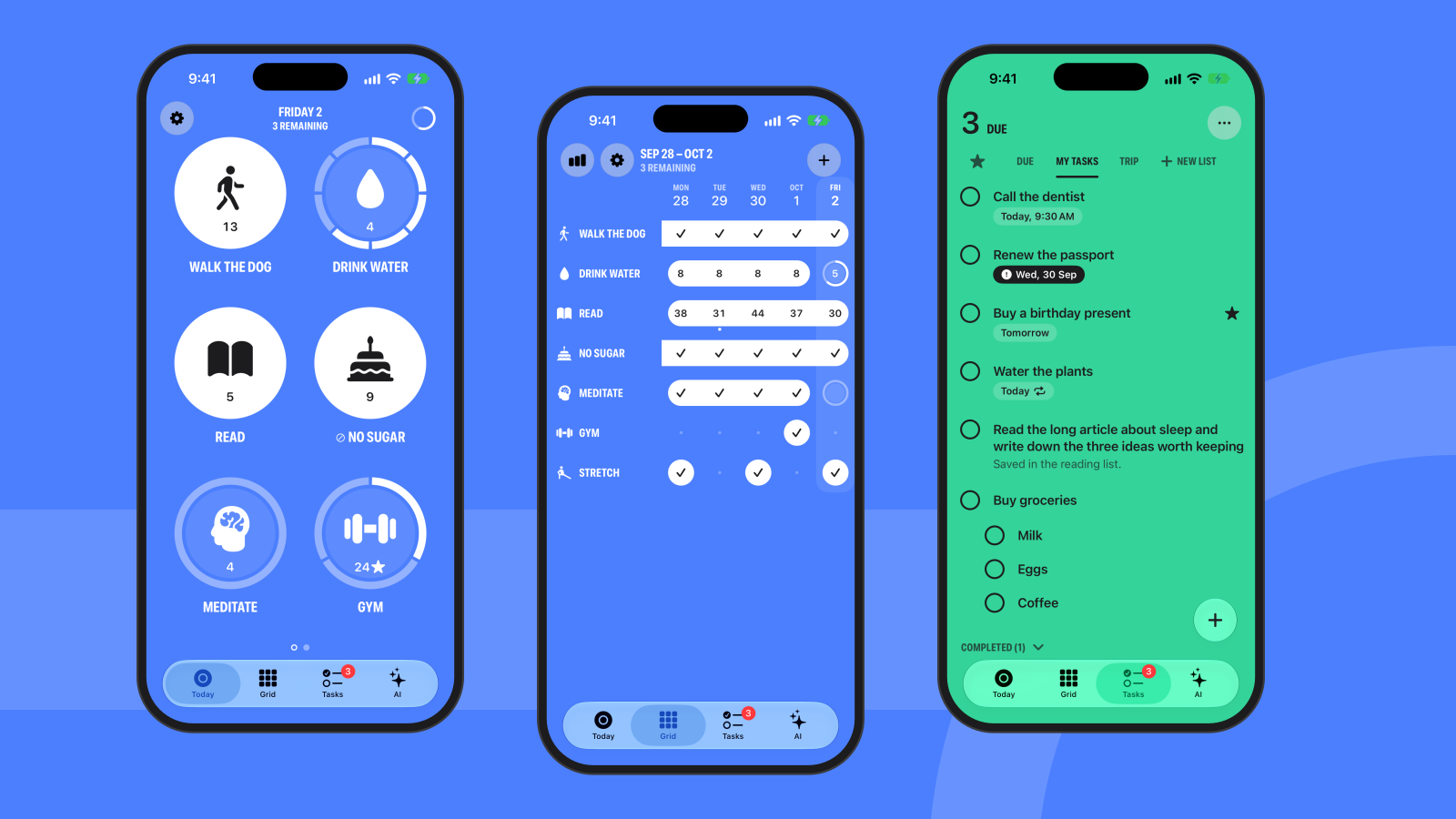
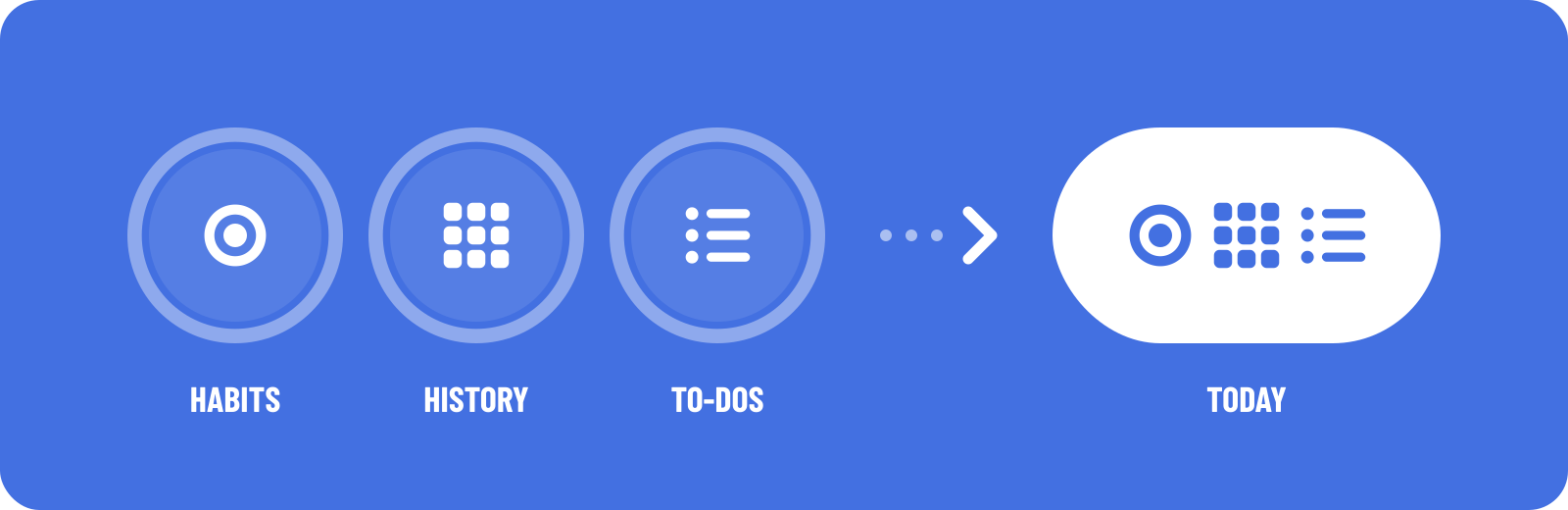
I used to track my days in three apps. One had big round buttons that I pressed and held when a habit was done, and it felt good. One was a plain grid, habits down the side and dates across the top, and it was the only place I could fill in a day I had forgotten. The third held my to-do lists. Each did its one job well. Together they meant three icons, three places to look, and no single answer to the question I actually had: what is left today?
Today is my answer. It is one iPhone app, and three tabs do the three jobs: Today, Grid and Tasks. An AI button beside them helps with all three.
It is built for four moments. A check-in that takes a few seconds, often with one hand. A sit-down review in the morning or evening. Catching up on several missed days at once. And capturing a to-do on the go, then leaving fast. In each of them I want the same thing: one clear next action, then done.
The hold
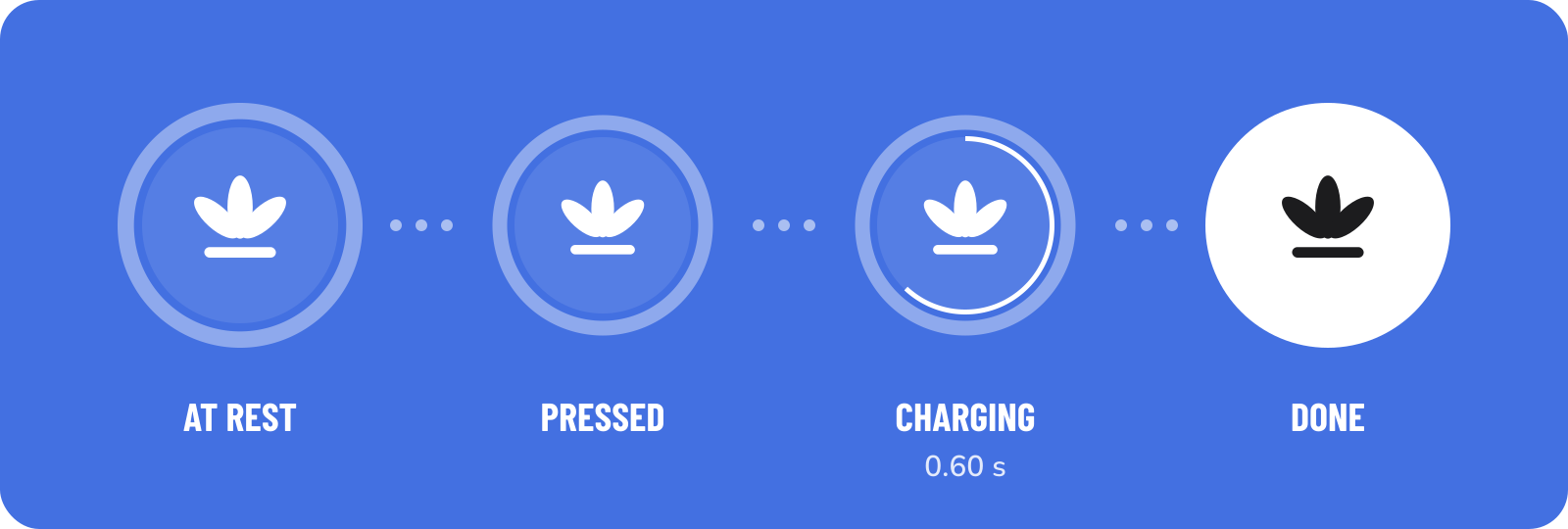
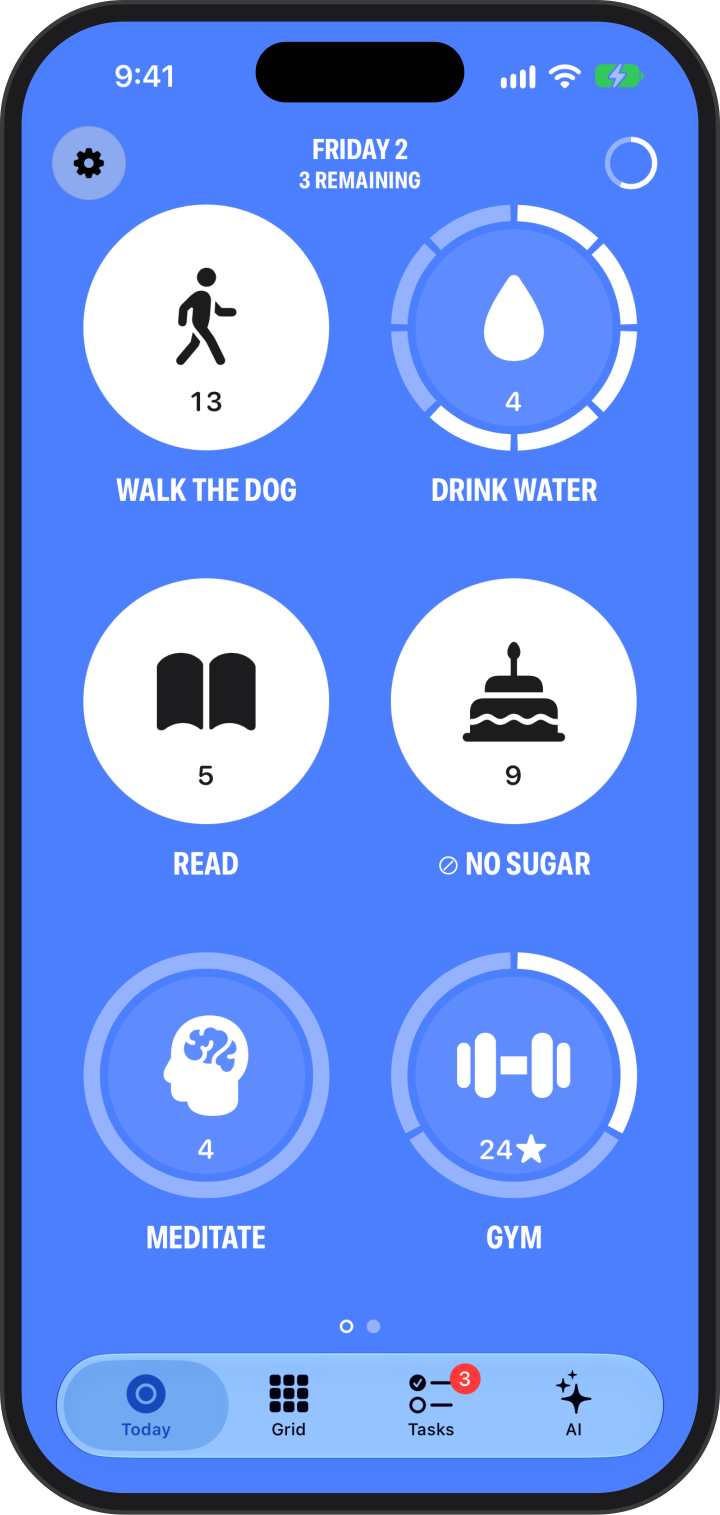
The Today tab shows six bubbles on a page, on one solid colour. Each bubble is a habit. To complete one, you press and hold it for 0.60 seconds. A thin arc sweeps around the ring while a haptic builds under your finger, and when the arc closes, the disc floods with colour.
I chose a hold because a tap is too cheap to mean "I did it". A tap happens by accident: in a pocket, while scrolling, while reaching for something else. A tap also asks nothing of you. A press of a little over half a second is short enough to do with one hand and long enough to be a decision. Lift early and nothing is saved.
There are five kinds of habit. Check is done or not done. Count fills a segmented ring one hold at a time, for things like glasses of water. Amount takes a number. Don't is for the habits you are avoiding: it starts each day complete, and a hold records a slip. Health completes by itself from your step count. Goals can be daily, weekly or monthly, and streaks forgive. A day you skipped or paused is neutral, not a break, and a habit can allow up to 3 misses.
When every habit due today is done, the whole screen crossfades to gold and the last icon bursts into 14 small copies. Gold appears nowhere else in the app, so it stays worth earning.
The grid
The Grid tab is every habit against every day. Tap any past day to mark it. This is the tab for the evening when you notice you have logged nothing since Tuesday.
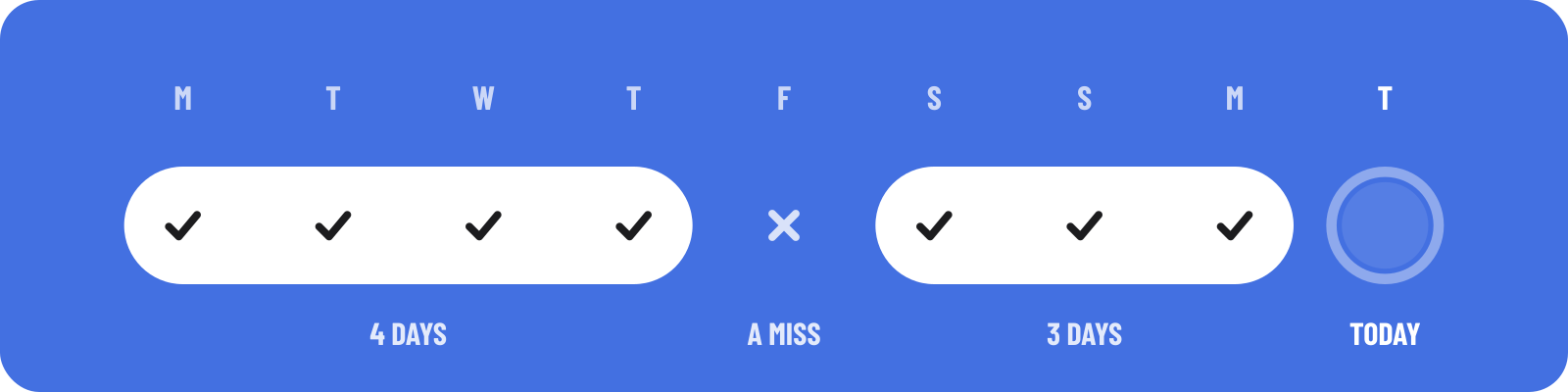
Done days that sit next to each other join into one capsule, which I call a chain. A long chain is easy to see, and a miss is a visible gap in it. I find that more honest than a number alone. The streak count tells you how long. The chain shows you where it broke. Press and hold a day to leave a note on it.
Tasks
Habits repeat and tasks end, but both answer the same question, so I wanted them in the same place. The Tasks tab has lists, subtasks, stars, due dates and repeats. It is a plain list on purpose. The point is that it sits one tab away from the bubbles, so capturing a to-do and getting back to the day takes one move.
Help that stays on the phone
Hold the AI button and one prompt opens. It uses the language model built into iOS, which runs on the iPhone. You can type a habit or a task as a sentence, turn a paragraph of loose thoughts into tasks, split a big task into steps, or ask a question about your habits. Every number comes from your own entries, not from the model, and anything it proposes waits for your yes before it is saved. Most of these tools need Apple Intelligence turned on.
Yours alone
Today has no account, no backend, no analytics and no ads. Your data lives on your iPhone and in your own private iCloud database. There is nothing to sign up for. This site keeps the same promise: no analytics, no cookies and no third-party scripts.
What is not there yet
Today runs on iPhone only and needs iOS 26 or later. There is no iPad or Mac version and no working Apple Watch app yet. There is one small Home Screen widget, and steps are the only Health figure a habit can follow. I intend to work on these, but I am not going to name dates. I would rather add each one when it is as solid as the three tabs it started with.
The app grew out of three apps I learned a great deal from: Streaks, Daily and Google Tasks. I built Today because I wanted their three jobs in one place, with one look.
Get it
Today is coming to the App Store. It is native SwiftUI and comes in 12 solid-colour themes. Iris, the blue in these pictures, is the default.
If something feels off, a jump, a stutter, a gesture that fights another, tell me. That kind of glitch is what I most want to hear about.